
Getting Last.fm Metadata with AppleScript
The code you're about to see isn't pretty, but I promise it works on my machine! I've wrestled with this blog post on and off for months because I typically like to polish and refactor my code for clarity, performance, and general quality of life before sharing it online. In this case, I have to call things "done" and move on.
Over the holidays, I created an interactive AppleScript that grabs Last.fm tags for selected tracks in Apple Music and dynamically configures the genre tags for the selected tracks based on data returned from the Last.fm API. The full script can be found here: https://gist.github.com/nicholas-wilcox/fbf08c9ecf5d8e4b0350bb9a9281e219. Below, I will provide some instructions for how to use the script yourself and then go over some of the code.
Prerequisites
The MacOS Music application.
The MacOS Script Editor application or the
osascriptcommand line utility.A Last.fm API token. See Last.fm documentation for details.
Installation and Usage
To use this script, you must use the Script Editor application to create a new Apple Script and then copy the contents of the linked GitHub gist into Script Editor. Be sure to change the placeholder value of the Last.fm API key to whatever your token's value is.
You can compile and save this script as a file in your ~/Library/Music/Scripts/ directory. I suggest a descriptive filename such as Import Lastfm Genre Tags.scpt. Then, you should be able to run the script in the Music application while some music is selected.
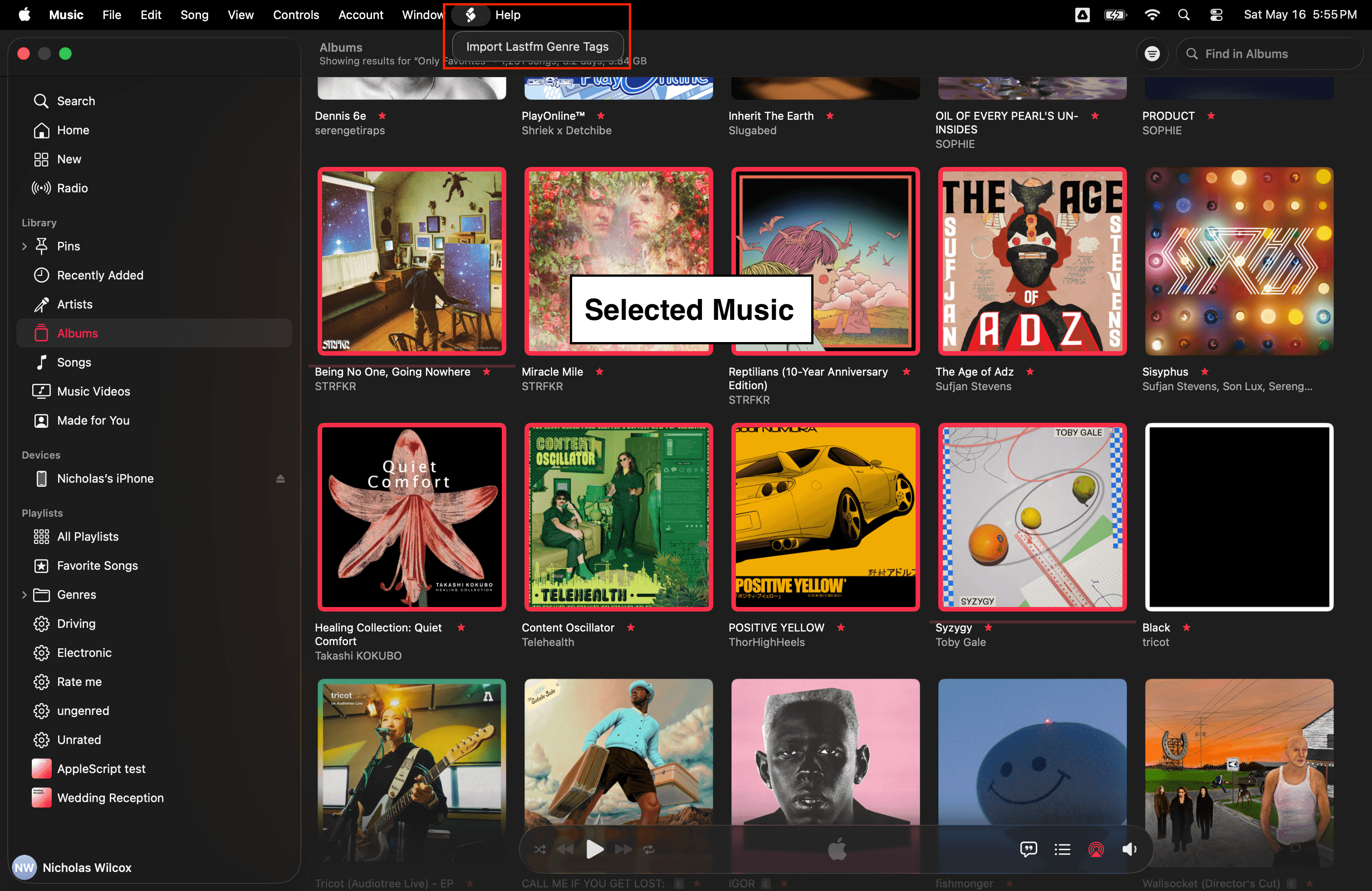
The script will partition all the tracks you have selected based on their albums and their album artists. For each set of tracks in this partition, the script calls the album.getTopTags and artist.getTopTags methods on the Last.fm API. The genre tags are collated and sorted by popularity before they are presented to the user. Tags that rank above a minimum threshold are selected by default, but the user can check and uncheck tags before confirming, after which the script will join all the selected tags with a delimiter value and overwrite the genre metadata for all tracks in the current set.
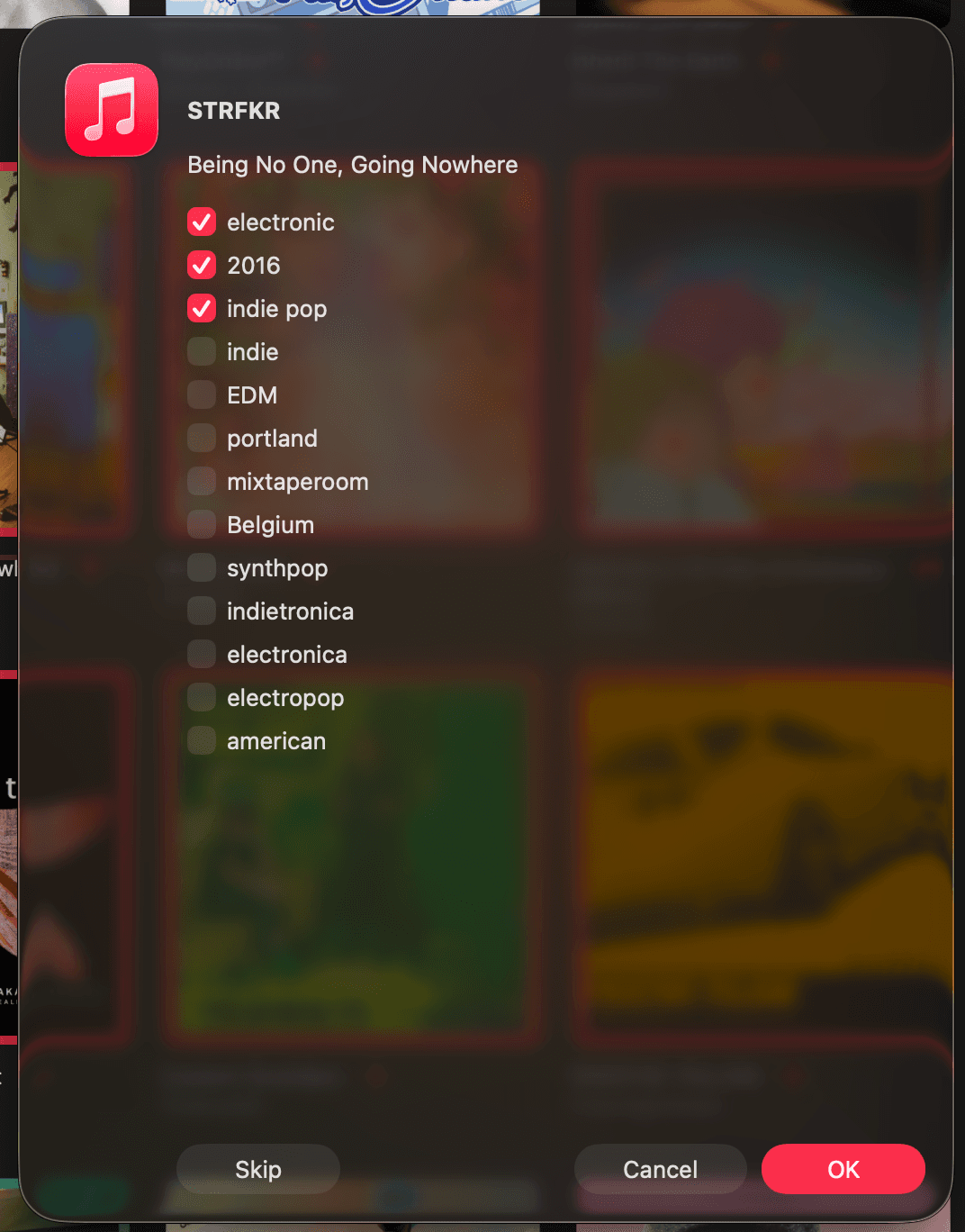
The script performs the above steps for each set in the partition of all selected tracks. The user can skip a set in the partition or cancel the script entirely.
Using osascript
Instead of compiling the script in the Script Editor app, you may also simply copy the script as a text file and execute it with the osascript command. You still need to update the Last.fm API key, of course.
Note that you may only run compiled scripts from the Music app's toolbar like shown above. You can only run text files from the command line. Therefore, you must still select music manually before running the script in a terminal, or you might edit the script to programmatically select tracks before running the main program.
The Code
AppleScript is the semantic language of all time.
At the top of the script, I declare dependencies on the "Foundation" and "AppKit" frameworks, and then I declare global references to many of the classes in those frameworks. I also set up some global variables that drive the script. From what I understand, these references are bindings to Objective-C modules. The "NS" stands for "NeXSTEP".
The next bit of code was copied and derived from this Stack Overflow answer concerning how to transform JSON data into the AppleScript record type. I follow this up with some other functions to simplify calling the Last.fm API.
AppleScript is fascinating, in part because it aims to provide an expressive and very human-readable English syntax that abstracts multiple MacOS applications. There are a handful of ways to declare a function with many optional parameters using a variety of keywords suited to how the function's definition and invocation read as phrases. Arguments with a single parameter have more compact syntax.
I'll skip the boring middle section of the script and simply walk through the main routine at the bottom.
The main routine takes the selected tracks and partitions them, and then it hands off each set in the partition to a subroutine called configureTags. This function is responsible for getting the genre tags from Last.fm for an artist and/or an album and presenting those tags to the user in a dialog window. AppleScript has a decent set of dialog commands, but I had to use the AppKit framework to build out multiple checkboxes and some custom "Skip" and "Cancel" buttons. If you confirm the genre tags you want, they will be joined using a semicolon as a delimiter, and the resulting value will be set as the genre of all tracks in the current partition.
Finally, the main routine is called on the main thread, which is a requirement for creating dialogs I suppose I could better refactor this script if I studied up on multithreading in AppleScript, but I'll leave that as an exercise for the reader. :)
-Nick